
Timeplan separately allocates card tips and cash tips. For each channel, the amount to be distributed is first determined. Then each employee receives their share of the channel's total share sum. When the allocation is saved, balances are created on the accounts and on the accounting date specified in the configuration.
The period and the selected work tasks are used when loading employees and worked hours. Update Allocation can set shares based on approved actual worked time within the selection. Equalise Allocation instead sets each employee’s share to 1.00.
A share is a distribution factor, not crowns or hours paid out directly. Shares can also be adjusted manually and an additional authorised employee can be added.
For card tips, the base is Tips credit card − Deductions. For cash tips, the base is the registered cash amount. If percentage control is disabled, the entire base amount is distributed. If enabled, each channel is multiplied by its effective percentage.
When multiple work tasks are selected, the lowest percentage among them is used, separately for card tips and cash tips. Therefore, the two channels can receive their percentages from different work tasks.
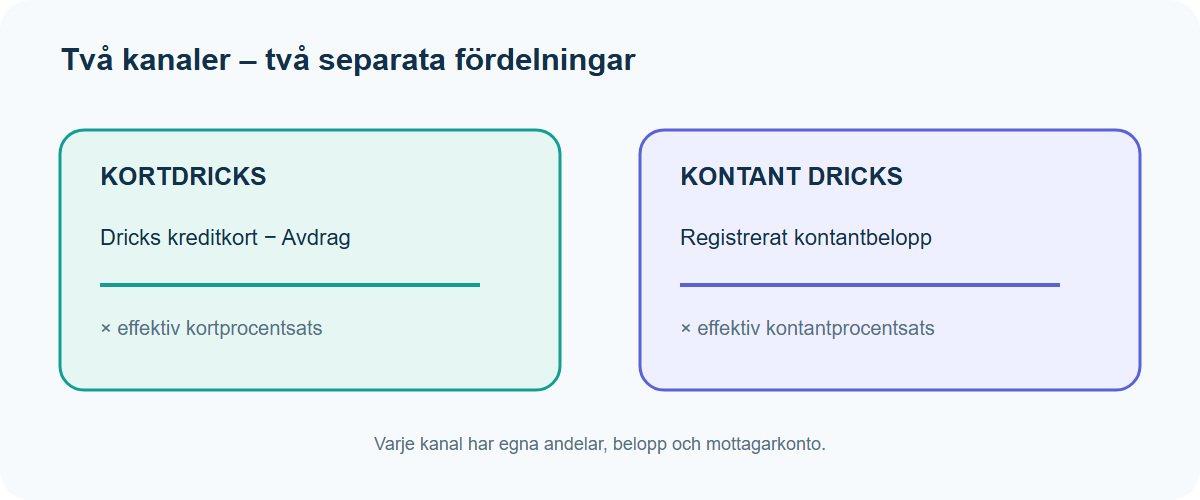
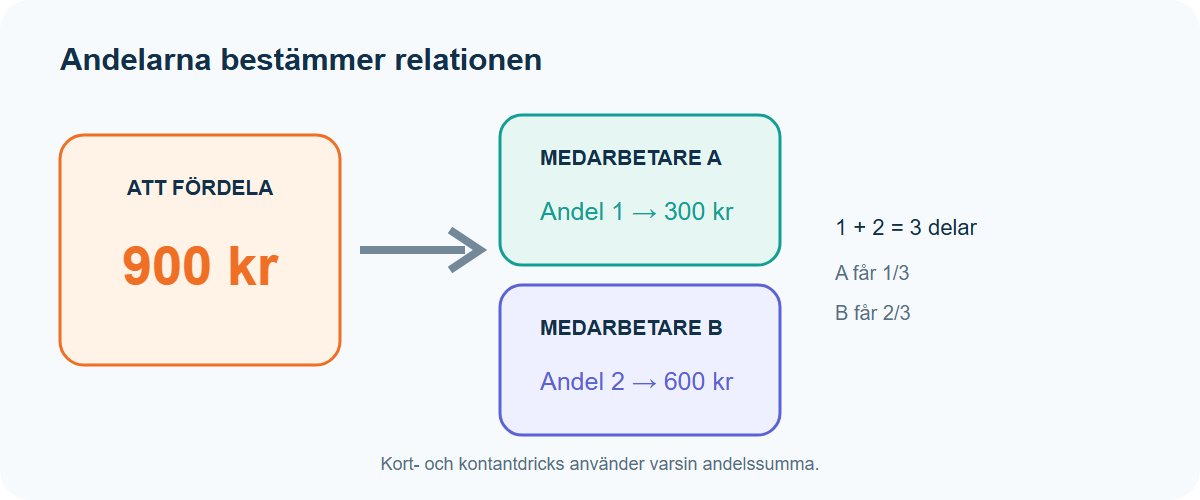
Each employee’s amount is calculated as the channel’s distribution amount multiplied by the employee’s share, divided by the sum of all shares in the same channel.
If all shares in a channel are zero, all employees receive the amount zero. Each amount is rounded individually to the smallest unit of currency. Any small rounding remainder is not automatically distributed to any employee.
Each amount that is not zero creates or updates a balance on the channel’s configured account. The balance receives the allocation’s description as a comment and is linked to a valid employment contract and a selected work task that exists in the contract.
Timeplan first searches for contracts on the accounting date. If none exist, it uses in order the most recent past contract or the first upcoming contract, and the balance is then posted on the contract’s end or start date respectively. If there is no contract at all, the allocation cannot be saved for the employee.
When a channel amount becomes zero, an editable balance for that channel is removed. If an employee is removed from the allocation, the person’s editable linked balances disappear when the allocation is saved.
A balance in a closed pay period may not be changed or deleted by saving the old allocation again. For a closed allocation, Credit is used to create a new reversing allocation on an editable date.
The current function negates tip amounts but not deductions, and it reads current work task percentages when saving the credit. A credit therefore may not be the exact opposite of the original if deductions or percentages have changed. Compare with the original balances before using it in the payroll basis.
- Period and work tasks determine which employees and worked hours can be loaded.
- Card tips, deductions and cash tips determine the base amounts for channels.
- Percentage settings can reduce the amount actually distributed.
- Shares determine each employee’s relative part.
- Accounts determine where card and cash tips are saved.
- Accounting date and employment contract determine the date, contract and work task on the balance.
- Pay period status determines if existing balances may be changed.
In percentage mode, the page may show an amount even if the channel’s effective percentage is 0%. When saving, the channel’s allocation will still be zero and a previously editable balance may be removed. Check both percentages and the saved balances.
The card tips amount is 1,000 kronor and the deduction is 100 kronor. The base is therefore 900 kronor. With an effective percentage of 80%, the distribution amount becomes 720 kronor. Shares 1 and 2 yield 240 and 480 kronor respectively.
Card tips and cash tips have separate share columns. An employee can therefore receive 25% of the card tips and 50% of the cash tips without contradiction.
- Tip Allocation describes the page’s fields, history and protection.
- Distribute Tips describes the workflow from selection to review and saving.
- Contract Settings selects percentage mode, cash tips and recipient accounts.
- Work Task contains the percentages that can affect the selection.
- The office report Tip Allocation shows the separate report basis; it is not a button on the tip allocation page.
The share is compared to the sum of all shares in the same channel. If other conditions are equal, share 2 will receive twice as much as share 1.
When saving anew, current percentages are fetched from the selected work tasks. A changed percentage can therefore produce a new result.
If the employee lacks a contract on the accounting date, Timeplan can use the nearest previous or upcoming contract and place the balance on its end or start date.