
These terms describe different layers in Timeplan. The base schedule is the recurring template, planned time derives from dated work shifts, worked time is based on calculated account entries, agreed time is the expected working hours for the period, and balance is a value on a specific account. Therefore, they are not expected to be the same in every view.
The base schedule describes a recurring work time pattern. When the schedule is assigned and processed, dated shifts and normal time are created for the employee. A later change to an individual shift does not automatically rewrite the base schedule itself.
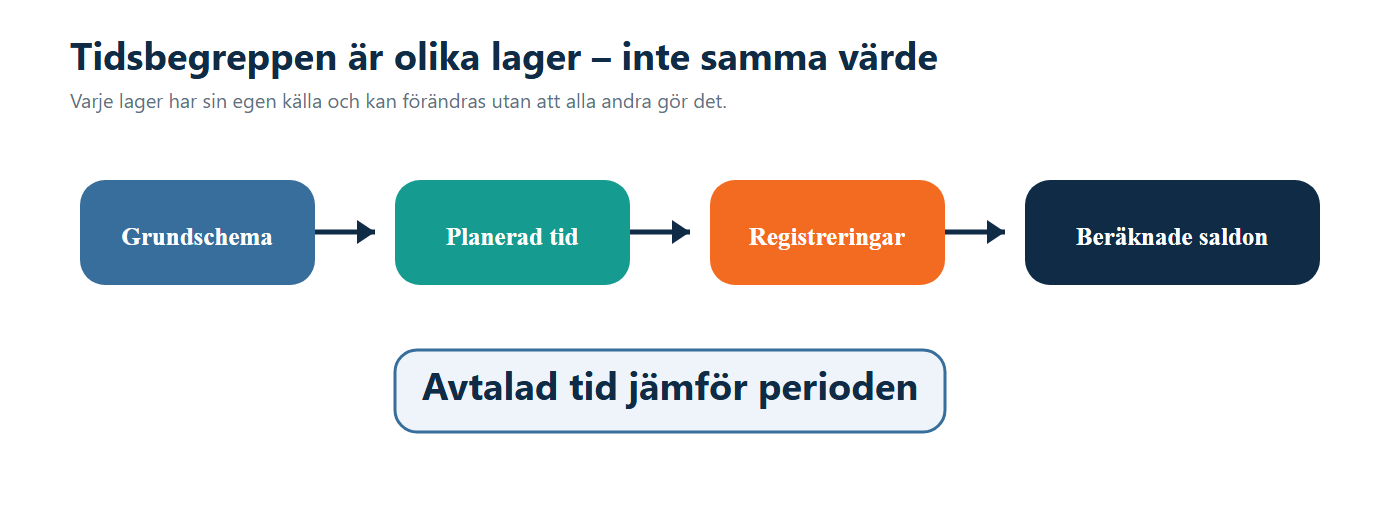
On the Accumulated balances page, Base schedule shows the normal time already calculated and saved for the days. The page does not recalculate the current schedule template when opened. Therefore, the value may remain even after the template has later been changed.
Planned time sums the work shifts actually scheduled on the dates, after deductions for breaks within the shifts. Both regular and extended planned time are included when the shift type is selected for the relevant report.
Absence is not automatically added as an extra part of planned time. An absence shift only contributes when its shift type is included in the selection. This means a changed planning and a registered absence can affect different columns.
Worked time is not always the time between the first clock-in and last clock-out. In several reports, approved balances on the accounts selected in the system account group Accounts for calculating Worked time in reports are summed.
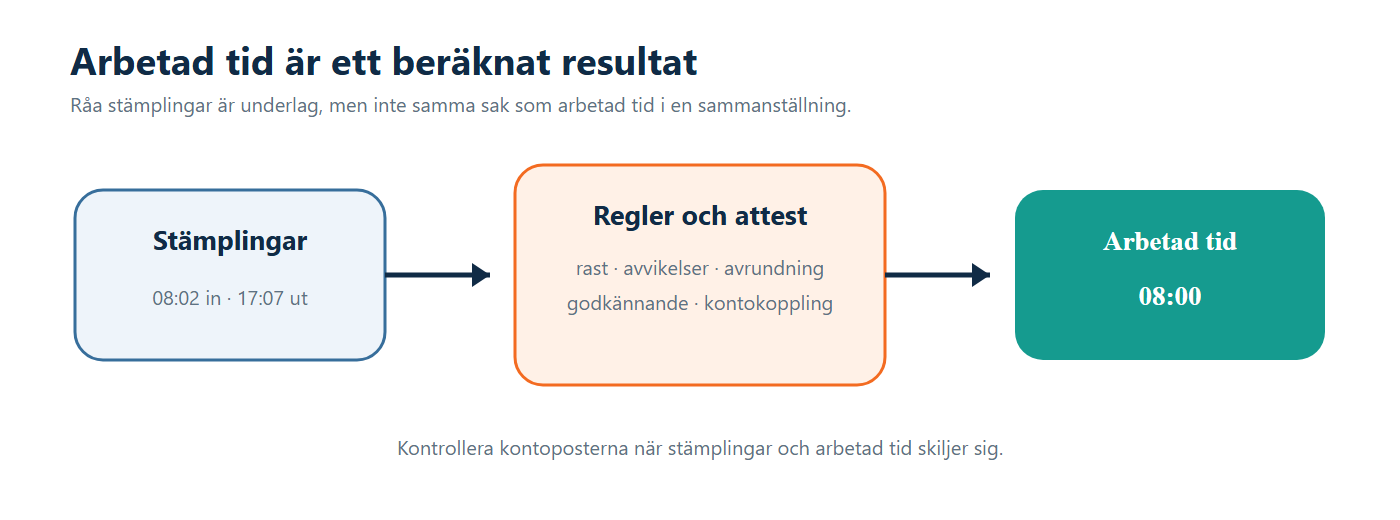
A time report can therefore contain clock-ins while worked time is still missing in a view, for example when the correct balance has not been created or is still awaiting approval. Conversely, an approved manual balance can be included without corresponding to a new clocking interval.
Agreed time is calculated from the employee's weekly working hours and the employment contracts overlapping the period. The contract's choice between five and seven days per week as well as the handling of public holidays affect the result.
- With Weekdays (5 / week), the affected weekdays in the period are counted, divided by five and multiplied by the weekly working hours.
- With Calendar days (7 / week), the calendar days in the period are used, divided by seven and multiplied by the weekly working hours.
- Include public holidays in agreed time determines whether affected public holidays are included or deducted from the day count.
Agreed time is thus not the same as base schedule or planned time. It is used, among other things, when a period is to be compared with the employee’s worked time.
A balance belongs to an account and can concern time, quantity or money. The account’s rules, level, task, approval status and the chosen time period determine how the value should be interpreted.
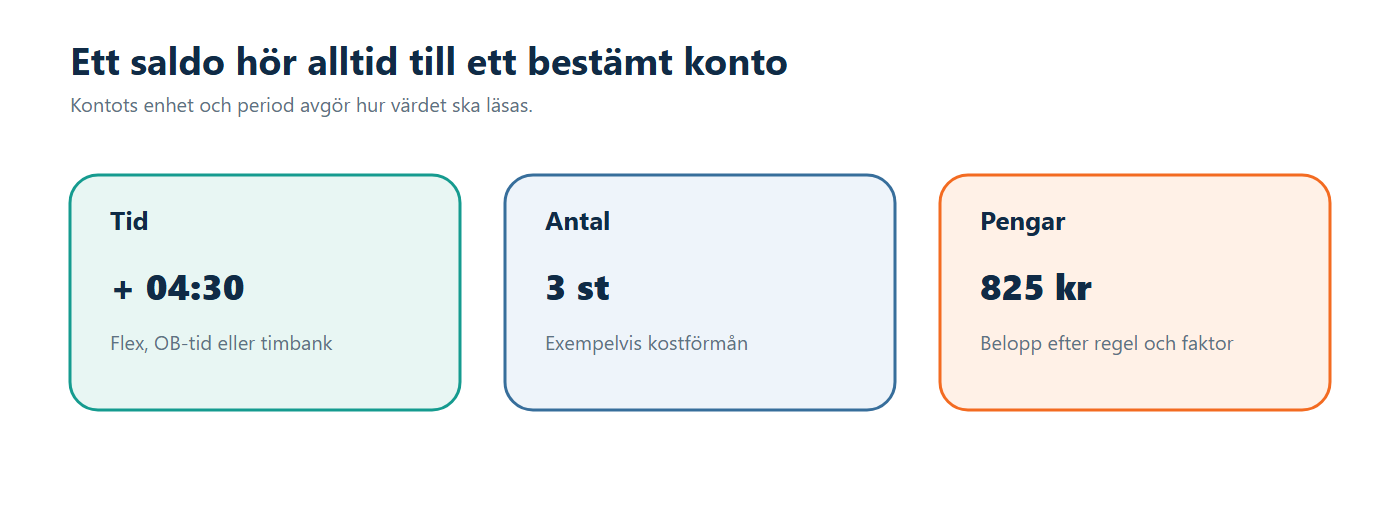
An Account balance in the app or terminal is also a display setting that sums a selected account over a chosen period. It does not create or correct the underlying entries.
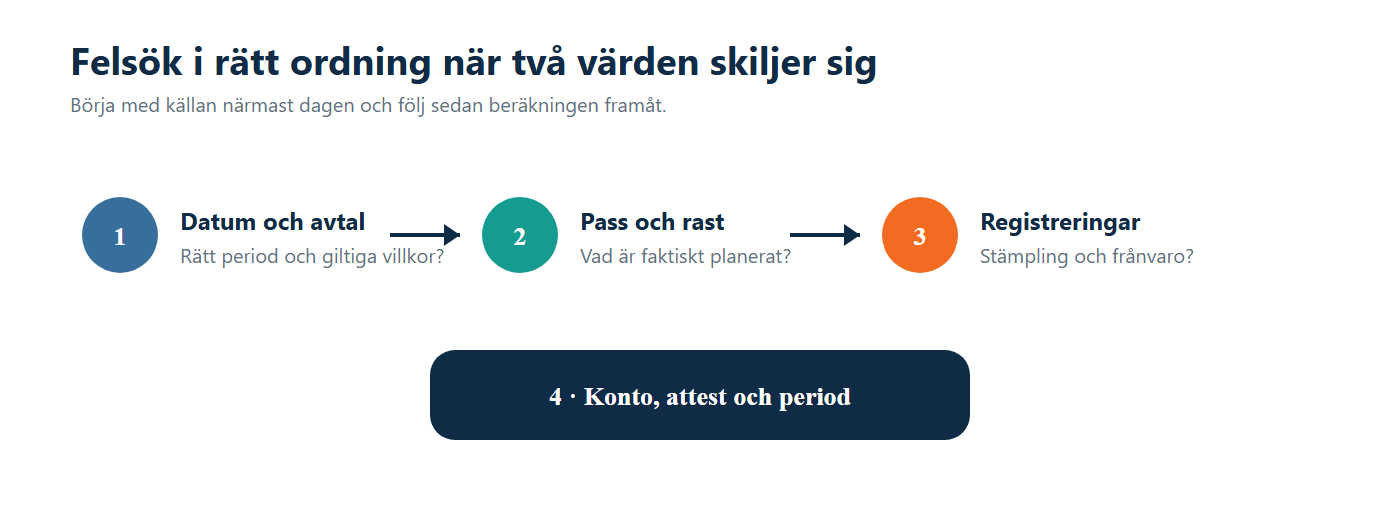
- Different date ranges mean that two correct summaries can have different results.
- Changed work shifts affect planned time without rewriting the base schedule template.
- Breaks and absence are handled differently depending on which concept is shown.
- Account selection determines which approved entries are counted as worked time.
- Approval status can mean a balance is not yet included in a summary.
- Public holidays and contract changes can alter agreed time within a period.
- Manual balances and period reconciliations can affect an account without changing the dated work shifts.
Example: The base schedule contains a recurring working day. On the actual date, the work shift has later been changed and includes a break. The employee’s clock-ins also differ from the shift times.
- Base schedule shows the saved normal time from the schedule template.
- Planned time follows the dated work shift after break deduction.
- Worked time follows the approved account entries created by contractual rules.
- Agreed time belongs to the period’s calculation from weekly working hours and calendar days.
- Balance shows the result on the account and within the period used by the current view.
The difference is therefore not necessarily an error. It primarily indicates that the views answer different questions.
- Base schedule and periods shows the template and its assigned periods.
- Weekly overview shows dated planning and several comparative values.
- Clock-ins and balances unites the day’s work shifts, records, absence and calculated balances.
- Accumulated balances compares worked time, planned time, base schedule and selected accounts over a period.
- Contract settings controls, among other things, how agreed time and public holidays are calculated.
- Accounts explains account unit, level and usage.
All can be correct for their respective question. Use base schedule for the template, planned time for the dated shifts, worked time for calculated and approved work, agreed time for the expected extent of the period, and balance for a specific account.
Check breaks, deviation rules, absence, which accounts are included in worked time, and whether all relevant entries are approved. Do not just compare the first and last clock-in.
The work shift is a dated plan, while the base schedule is the recurring template. The change needs to be made in the correct layer depending on whether it applies to a date or to upcoming schedule periods.