
Timeplan creates no more than one current food-benefit result per employee and balance date for the calculated group. Time must normally be eligible, overlap an interval in the Food benefit rule and reach the Minimum work time. A Shift can explicitly add or prevent food benefit. The result is a value of 1 in the quantity or money account selected for the Agreement.
This article explains the calculation. How to configure intervals and minimum time is described in Food benefit rules.
Food benefit is active when a Day profile in use has a Food benefit rule. There is no separate organisation setting that needs to be enabled.
The Agreement's Account settings select the Food benefit account. If the account is missing, no food-benefit result is credited. For work and absence, Timeplan must then also create a calculation message; for Overtime only, the message is missing in the current product even though no result is created.
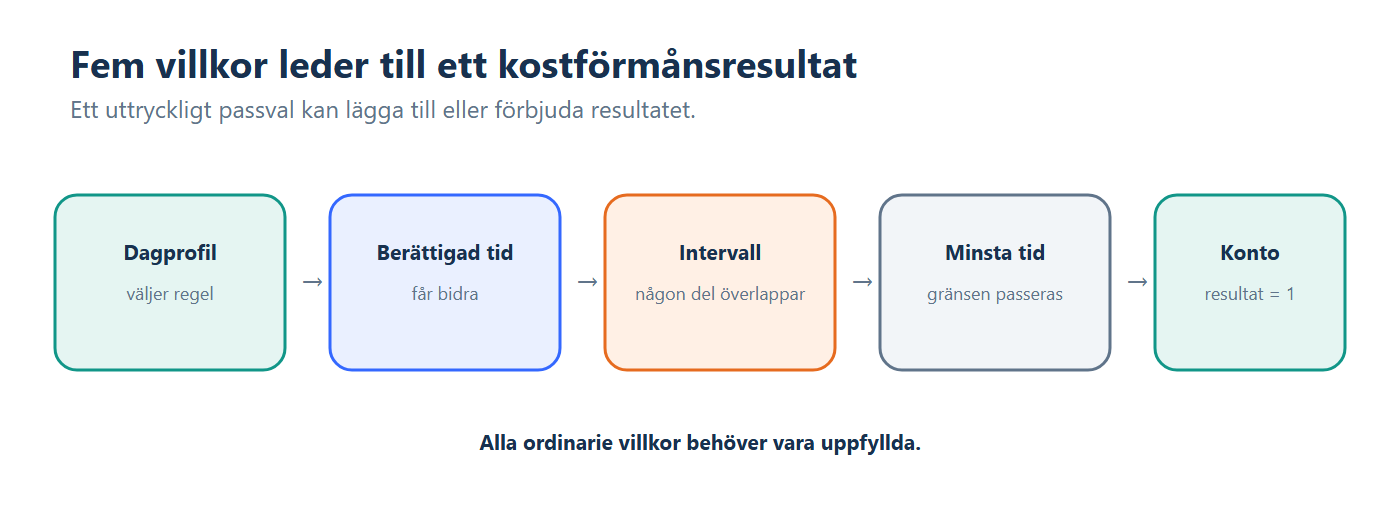
Timeplan uses work and the Deviation blocks that are permitted to contribute to food benefit in the current situation. In Deviation codes, Food benefit determines whether, for example, absence, Overtime or work without a Shift is included.
For a continuous composite Shift, the rule and account are selected from the first qualifying Shift segment. However, qualifying time is assessed for the entire continuous group.
An automatically calculated break is included in the time basis compared with Minimum work time. A break may therefore have been deducted from other balances but still be counted when Timeplan determines whether to create food benefit.
At least part of the qualifying time must overlap one of the Food benefit rule's time intervals. The entire time basis does not need to fall within the interval.
Minimum work time means that the threshold is reached when the time is equal to it. However, the current calculation has an exception for Overtime only: time exactly equal to the threshold does not qualify; the total must exceed the threshold.
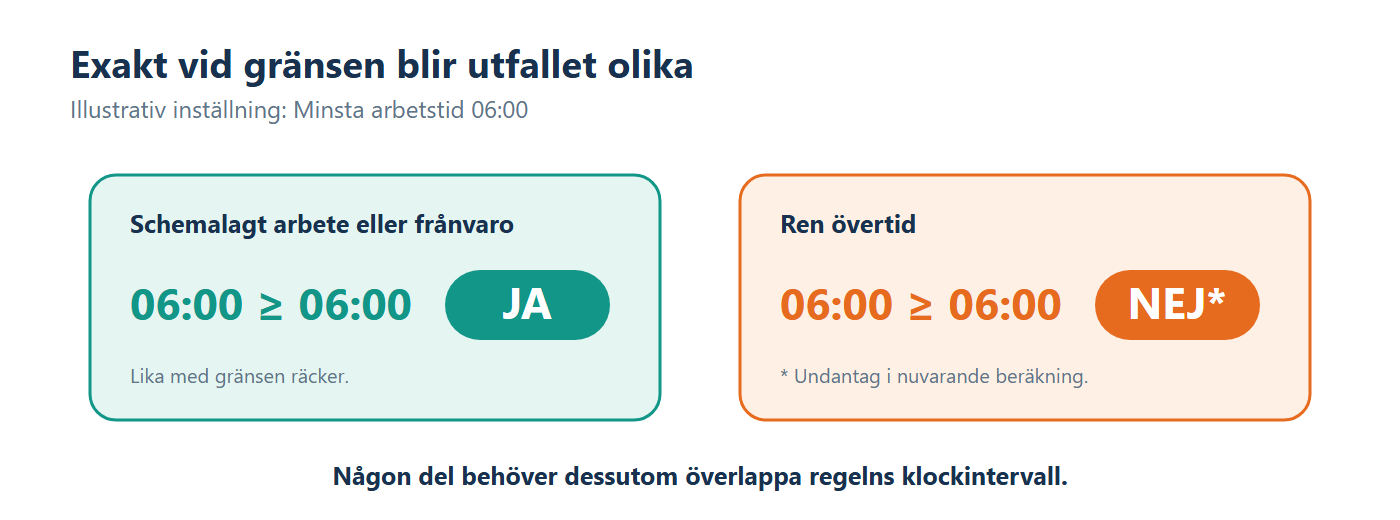
This means that two days with exactly the same duration may produce different results when one consists of Scheduled work and the other solely of Overtime.
The Shift displays the Food benefit list with the options -, No food benefit and Apply food benefit.
- - removes the interval's own yes or no selection and allows the Agreement's intervals and minimum time to determine the result.
- Apply food benefit forces a result without requiring the interval or minimum time to be satisfied.
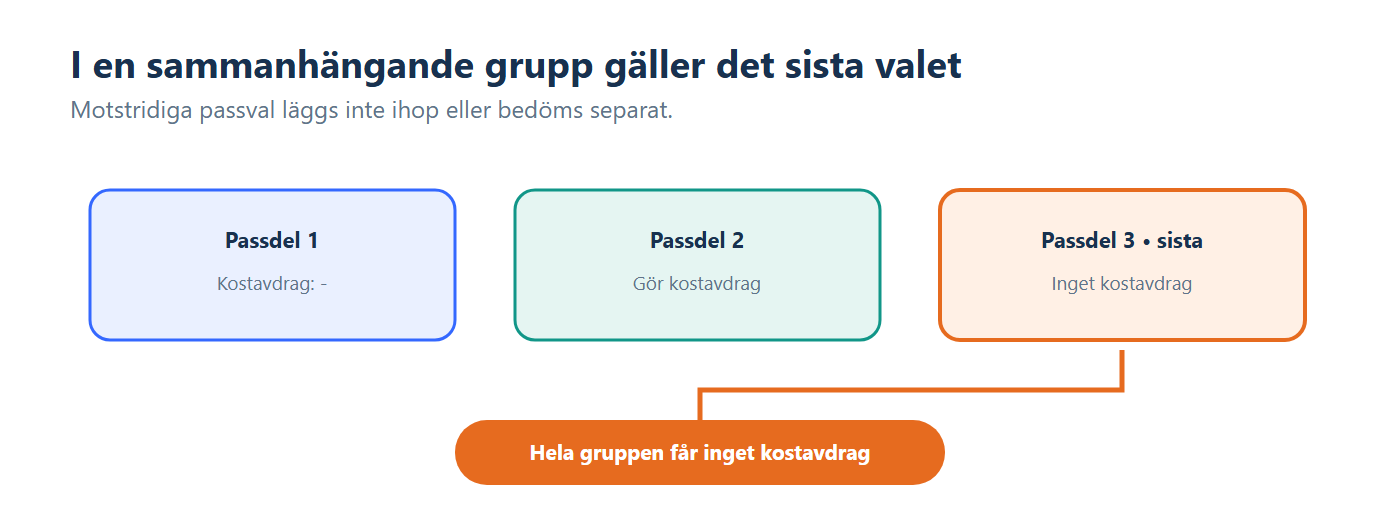
- No food benefit prevents the result for the continuous group.
When Shift segments in the same continuous group have conflicting explicit selections, the selection on the final Shift segment applies to the entire group.
When the conditions are satisfied, a food-benefit result is credited to the Agreement's account:
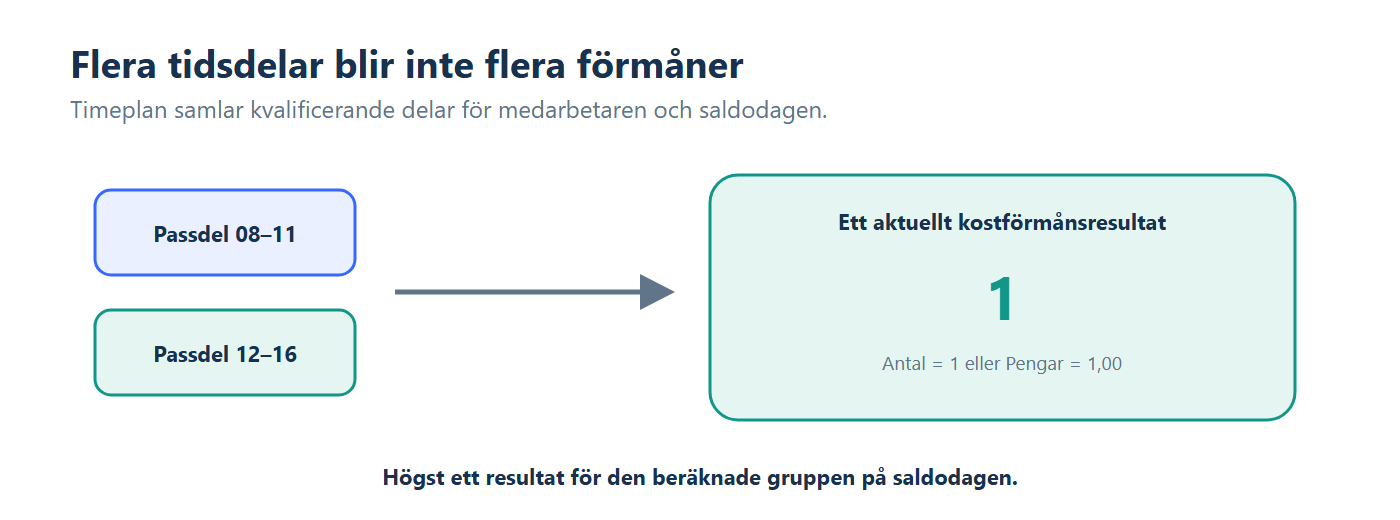
- An account with the unit Quantity receives the value 1.
- An account with the unit Money is displayed and exported as 1.00 in the account's currency unit.
- The time basis and its combined intervals are included with the result, but the value does not become multiple food benefits merely because the day contains several qualifying blocks.
Timeplan also selects the Department and approval status from the qualifying blocks. For work and absence, priority is given first to the employee's primary Department among blocks that do not require Approval, then to the first block that does not require Approval, and then to the corresponding selection among the remaining blocks. For Overtime only, the first qualifying Overtime segment is used instead.
- Day profile and rule: the first qualifying Shift segment selects the Day profile's Food benefit rule.
- Eligible time: the Deviation code's Food benefit selection determines whether absence, Overtime or work without a Shift may contribute.
- Interval: some part of the time basis must normally overlap a selected time interval.
- Minimum work time: the threshold is presented as a minimum requirement. In the current calculation, Overtime only must nevertheless strictly exceed the threshold.
- Shift selection: the final Shift segment's explicit addition or prevention applies to the entire continuous group.
- Account: the Agreement's Food benefit account must exist for the result to be credited.
Food benefit is not created as a separate planned cost for a future Shift. A future schedule that satisfies the rule is therefore not in itself proof that a current food-benefit balance exists.
- Scheduled time is exactly equal to the threshold. Six hours qualify when Minimum work time is 06:00 and some part overlaps the interval.
- Overtime only is exactly equal to the threshold. Six hours do not qualify with the same threshold. One additional second is enough.
- The Shift forces food benefit. Apply food benefit creates the result even when the standard interval or minimum time requirements are not satisfied.
- The account is missing. The rule may be satisfied, but no result is credited. For Overtime only, the calculation message that would otherwise assist with troubleshooting may also be missing.
- Food benefit rules shows Minimum work time and the time intervals that must be overlapped.
- Day profiles links the Food benefit rule to different days.
- Account settings selects the Food benefit account.
- Deviation codes determines which Deviations may contribute to food benefit.
- Shifts contains the Food benefit list with the options -, No food benefit and Apply food benefit.
- Time clock entries and balances shows results, Department, approval status and calculation messages.
- Check the Day profile's Food benefit rule and the Agreement's Food benefit account.
- Check that the day's blocks are permitted to contribute according to the Deviation code.
- Check that some part overlaps the interval and that the total reaches the correct threshold.
- Check the Shift selections, particularly the final selection in a continuous group.
- Check the calculation messages and whether the day needs to be recalculated.
The rule creates no more than one current food-benefit result per employee and balance date for the calculated group. Multiple qualifying segments are used as the basis but do not automatically become multiple benefits.
No. Save makes the new definition available for subsequent calculations. Previous days change only after a separate recalculation.