
Additional hours are the portion of a part-time employee's extra work that falls between the employee's contracted working hours and the full-time hours in the collective agreement. Timeplan compares both the remaining allowance in the selected additional-hours period and the daily limit. Any portion that cannot be classified as Additional hours proceeds to the Overtime calculation when the other conditions are met.
This article explains the result. How to select the period, Accounts and Shift types is described in Configure additional hours and overtime.
Additional hours are assessed when the Employee's contracted weekly working hours are lower than Weekly working hours in the applicable collective agreement. The difference is the allowance up to the agreement's full-time hours, but the entire difference is not automatically available on every day.
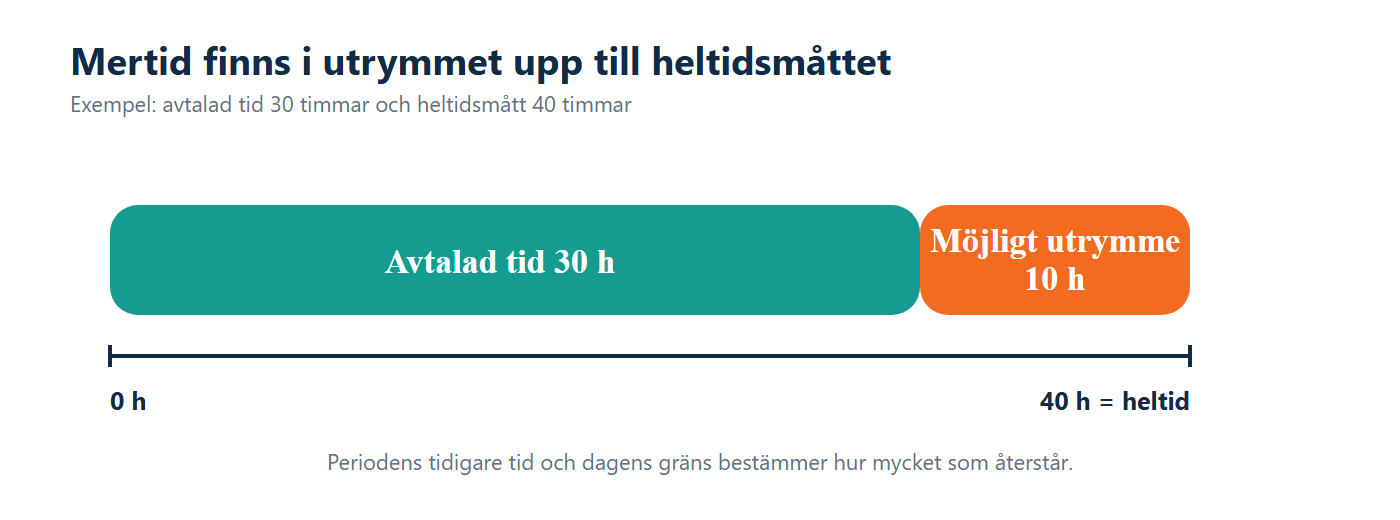
A full-time Employee has no such allowance between their contracted hours and the full-time hours. Extra work therefore does not go through the same Additional-hours split, even if the same Shift type is used.
The agreement's Extra time type determines which interval is used:
- Calculate per week uses Monday–Sunday. Time already counted during the week reduces the allowance for the next day.
- Calculate per month uses the calendar month and the relevant weekdays. Public holidays that fall on weekdays are included in the calculation when Create shifts from the base schedule on public holidays is selected.
- Calculate per base schedule uses the Employee's current base-schedule period. If no such period exists, Timeplan uses the week beginning on Monday instead.
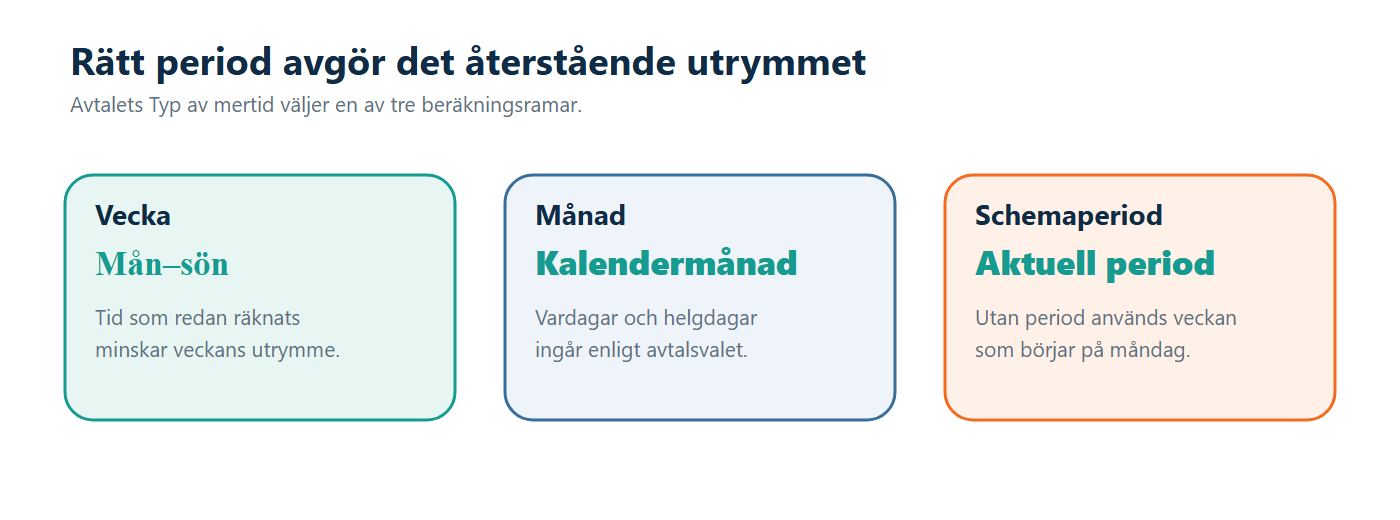
The monthly allowance is calculated from the difference between the Employee's weekly working hours and the agreement's full-time hours, divided by five and multiplied by the included weekdays. It is therefore not sufficient to compare the month's total with four identical weeks.
Limit for extra time and custom shifts is compared with the day's total Worked time, not only with the extra portion. If the limit is 08:00 and seven hours have already been counted during the day, no more than one additional hour can pass this check as Additional hours.
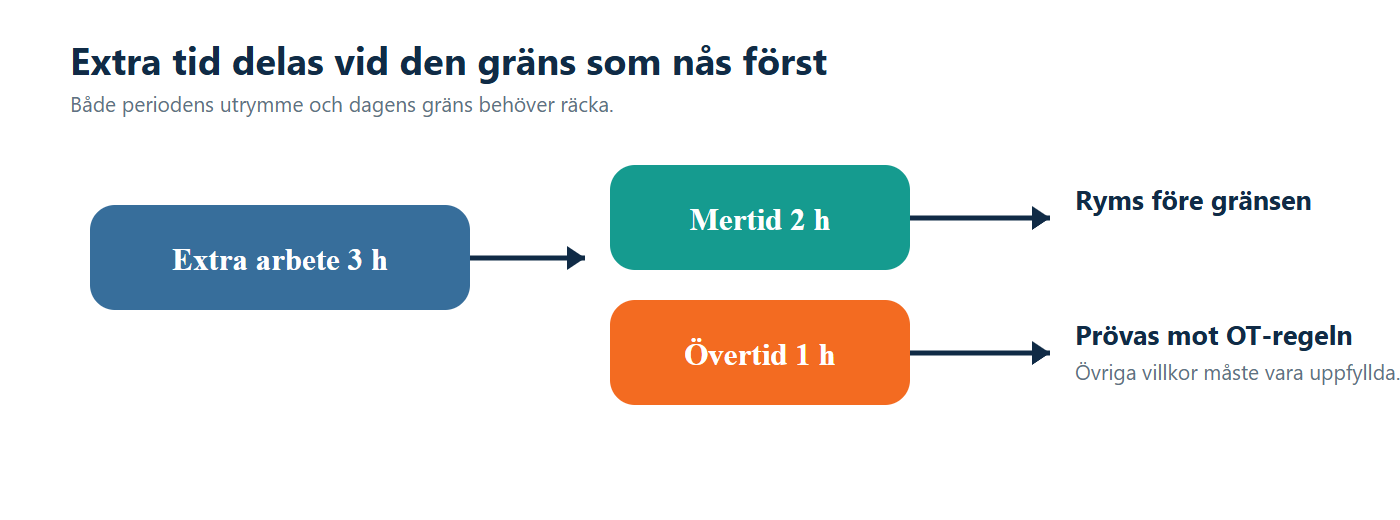
Both the period allowance and the daily limit must have sufficient capacity. The lower remaining amount therefore becomes the practical limit. 00:00 means that no positive extra time can become Additional hours through the daily limit; it does not mean that the check is disabled.
When the Shift type uses Calculate extra time first, the qualifying Additional-hours portion is removed before the remainder is processed by the Overtime rule. The same portion of time therefore cannot be both Additional hours and Overtime.
Planned Overtime, however, proceeds directly to Overtime when Always grant overtime for planned overtime (not additional hours for part-time employees) is used. Time already approved as voluntary Overtime is not reclassified as Additional hours either.
The ongoing Additional-hours result and the distribution when the period ends are two separate steps. The Additional-hours Account required for the day's calculation is selected on the Pay page. The Additional hours (time off) and Additional hours (pay) Accounts under Contract settings are used when the time is subsequently distributed during Period adjustment.
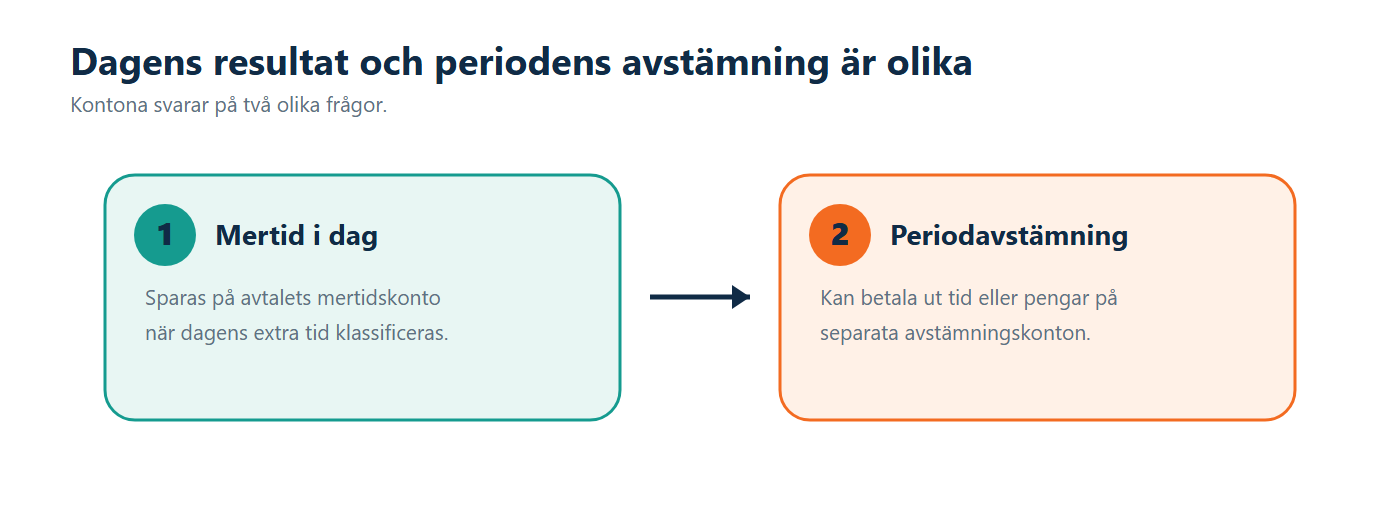
Extra time multiplier is used when the adjustment transfers time to the receiving Account. The multiplier does not change how much of the day's extra work is initially classified as Additional hours.
When the Shift type has a Summary account, each approved Additional-hours result can also create a parallel balance with the same duration. The Overtime rule's calculation multiplier does not multiply this summary. If there is no Summary account, only the parallel balance is omitted; the regular Additional-hours result can still be created.
When a part-time case is eligible for Additional hours but the ongoing Additional-hours Account is missing, the calculation produces an error. Timeplan does not automatically transfer all the time to Overtime. Check the Account on the Pay page before manually correcting balances.
- Working-hour measures determine whether the Employee is treated as part-time in the calculation and the size of the theoretical allowance.
- The Additional-hours period determines which previously counted time reduces the remaining allowance.
- The daily limit restricts Additional hours based on the day's total Worked time.
- The Shift type determines whether the time passes through Additional hours before Overtime and whether the Shift type's Rounding is used.
- Planned Overtime and voluntary time can bypass reclassification as Additional hours.
- The Additional-hours Account must exist for the day's calculation to be completed.
- The Summary account can create a parallel Additional-hours balance but does not change the number of hours classified as Additional hours.
- No inconv. when o.t. prevents Inconvenient hours for the portion that becomes Overtime. The Additional-hours portion must still meet the other conditions of the Inconvenient-hours rule.
When a continuous Shift consists of portions with different agreements, the current calculation uses the first partial Shift's agreement for the full-time hours and Additional-hours Account. You should therefore check combined Shifts in particular.
Example: The Employee has two hours remaining before reaching the full-time hours in the current period and works three qualifying extra hours. The daily limit also leaves capacity for at least two hours. Two hours therefore become Additional hours. The remaining hour proceeds to the Overtime rule.
Example: The same Employee has already reached the full-time hours through earlier work during the week. The next qualifying extra time cannot be classified as Additional hours, even if the daily limit has not been reached. The time proceeds to Overtime when the Overtime conditions are met.
- Agreement contains the full-time hours, reporting method and the option to round Additional hours according to a User-defined shift type.
- Contract settings contains the Additional-hours period, daily limit, Adjustment accounts and Shift type settings.
- Pay selects the Account required for the ongoing Additional-hours calculation.
- Overtime rules processes the time remaining after the Additional-hours portion.
- Time clock entries and balances shows the day's calculated results and any error messages.
First check whether Planned Overtime should proceed directly to Overtime. Then check that the Shift type uses Calculate extra time first, that the period still has an available allowance and that the daily limit has not already been reached.
It is not enough for the daily limit to have available capacity. Earlier work in the week, month or base-schedule period may have reduced the period's remaining allowance. Compare both limits.
No. The Account receives a duration that is used in payroll processing. This article explains how the time is classified; it does not guarantee the amount that is ultimately paid.