
Timeplan first collects the time associated with a custom shift type. For part-time employees, some of this may become additional hours before the remainder is processed. The Day profile then selects an Overtime rule, whose accumulated thresholds and time zones divide the time between them. Rounding, calculation factor, approval status and account selection ultimately determine which balance is created.
This article explains the calculation sequence. For information about creating thresholds, zones and account selections, see Overtime rules.
Overtime may come from a planned Shift with a custom shift type or from registered overtime with a Deviation code that specifies the shift type. The time is grouped by shift type and rule variant.
For each custom shift type, the Day profile has three different rule positions:
- work without a Shift,
- planned work with the custom shift type,
- registered work adjacent to a Shift.
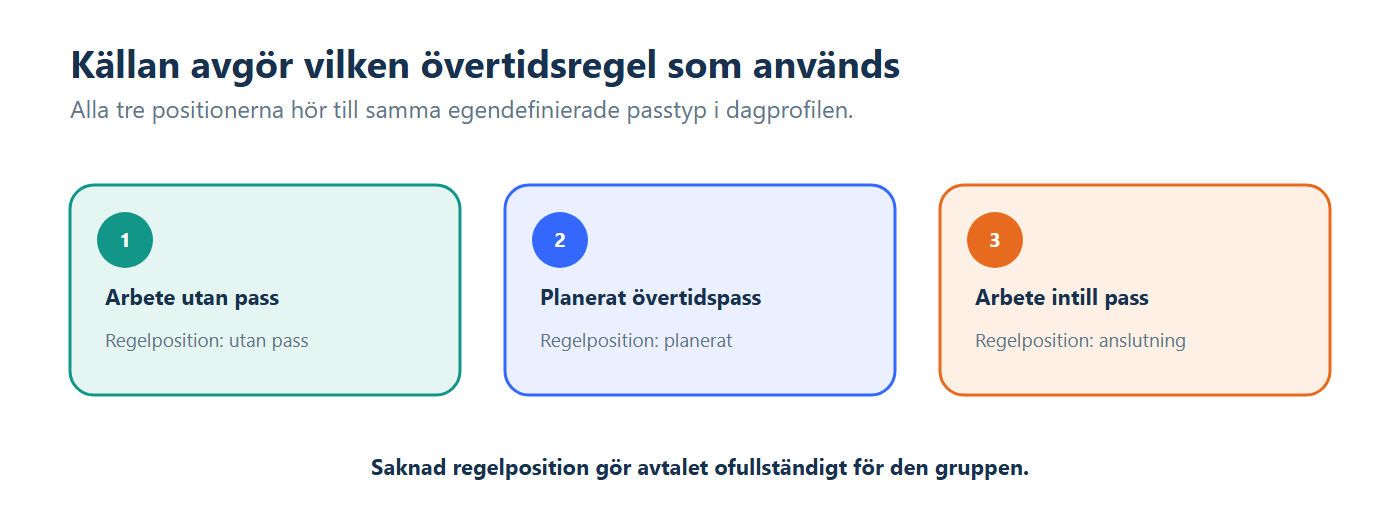
If the correct rule or the shift type's rounding row is missing, the Agreement is considered incomplete and no valid overtime result is created for the group.
For a part-time employee, Calculate extra time first may convert some of the candidate time into additional hours before the overtime engine processes the remainder. The amount that may become additional hours is controlled by factors including the employee's contracted hours, the Agreement's full-time hours, the selected additional-hours period and any daily threshold.
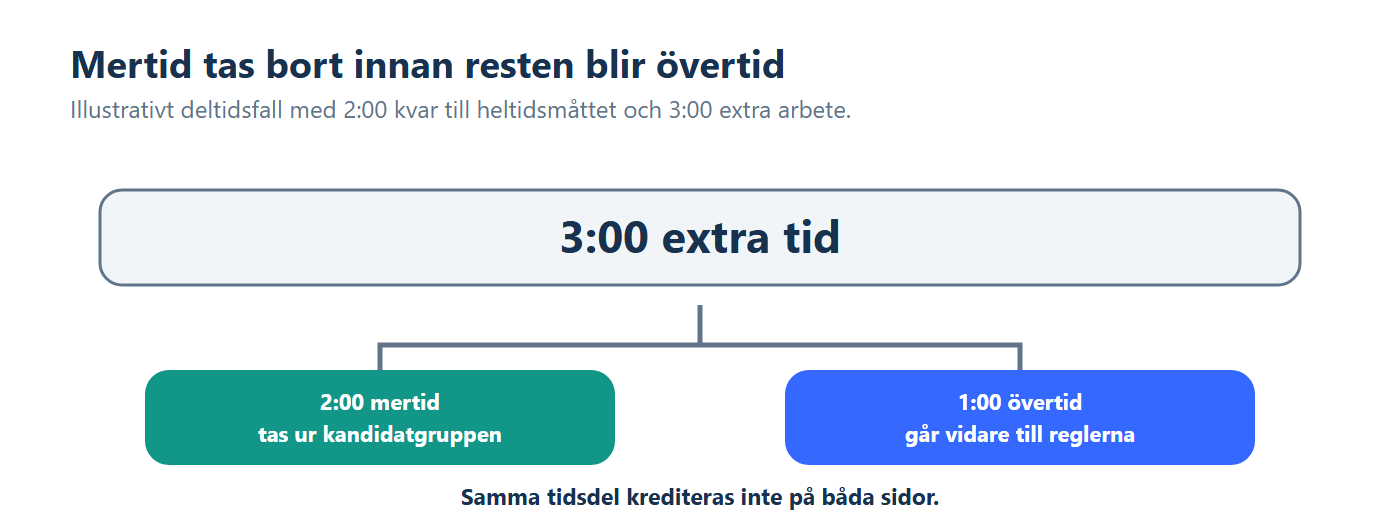
Planned overtime can be forced always to remain overtime through the Agreement setting. Time that has already been approved as voluntary overtime is also not reclassified as additional hours.
If an eligible part-time case has no additional-hours account, the current product stops the entire day's overtime calculation with an error. It is therefore not only the additional-hours row that is omitted.
A Time threshold is accumulated qualifying time, not a time of day. Separate blocks with the same shift type and rule variant therefore continue using the same counter. A Time zone, by contrast, is an actual clock interval.
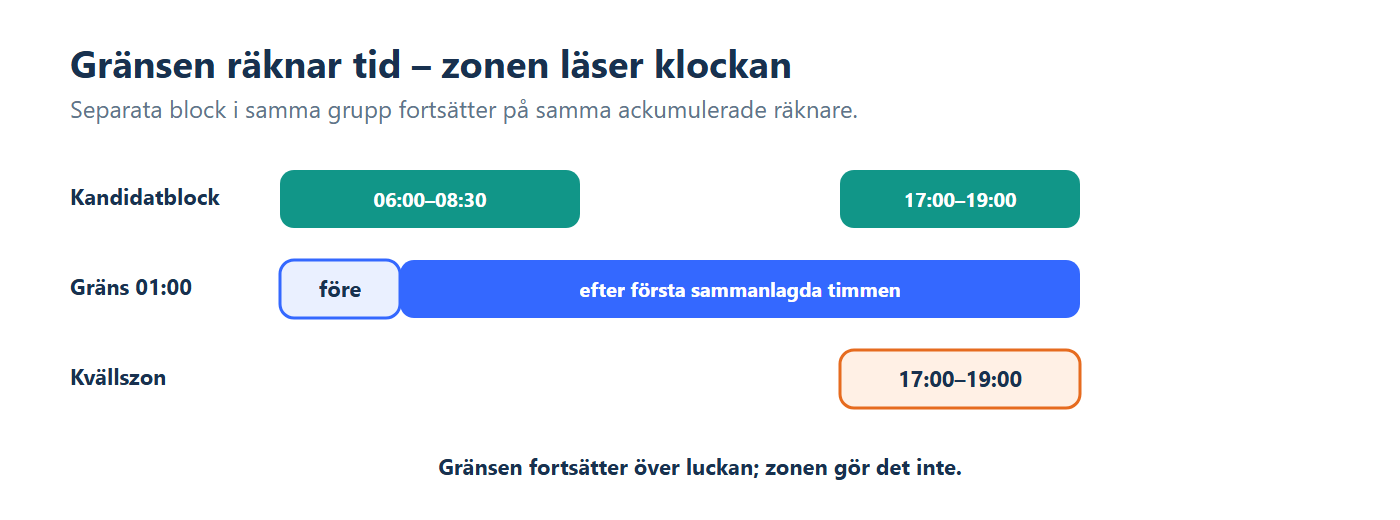
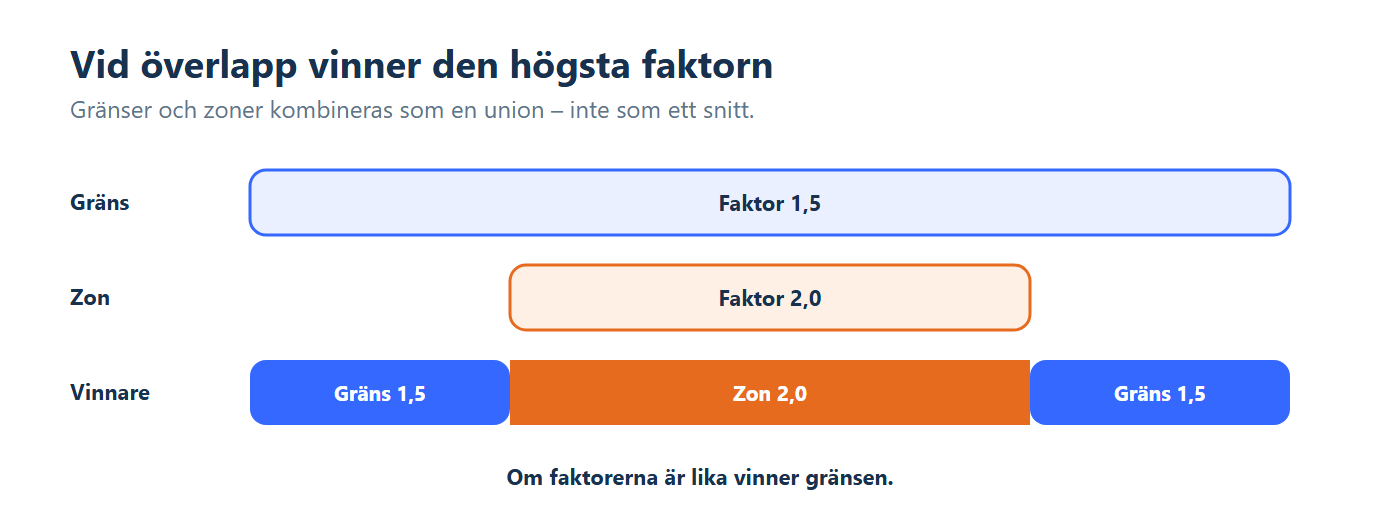
Thresholds and zones are combined as a union: all portions covered by either a threshold or a zone are included. Where they overlap, the row with the highest Calculation factor takes precedence. If the factors are equal, the threshold takes precedence.
Time before the first threshold has the lowest priority and is allocated to the account for Regular planned time. This does not apply to a rule containing only zones; time outside all zones then receives no zone result and does not automatically fall back to regular time.
The shift type settings under Contract settings specify the minimum time, rounding increment and whether rounding should be applied only at the start.
The entire candidate group is first evaluated against the minimum and increment. If the total is rounded to zero, the candidates are removed. Otherwise, a shared rounding difference is calculated after the time has been divided. A negative difference is deducted backwards from the last result, while a positive difference is added to the last suitable result.
When Only round off at the start of the interval is off, Timeplan retains incremental rounding. When the option is on, the rounded-up value is used to reach the first increment, but the actual time is retained once the total has reached that increment.
- Approved as time uses Time account, with factor and, in parallel, Time account, without factor if available.
- Approved as pay uses Money account.
- Approved as voluntary time uses Voluntary account.
- A pending or denied result selects time, pay and voluntary time in that order.
- A result that does not require approval selects time and then pay; voluntary time is not used as a fallback in that branch.
The Summary account simultaneously receives the rounded time without a factor for valid time, pay and voluntary results. The same account must not be reused for multiple destinations created at the same time.
A factor of 0 creates a zero balance in the Time account, with factor; the Time account, without factor and Summary account may still receive the actual time. A negative factor creates a negative balance in the Time account, with factor.
- Shift type and source: these determine the group and which of the Day profile's three rule positions is used.
- Additional hours: an eligible portion may be removed before thresholds and zones are processed.
- Thresholds: count accumulated time across all blocks in the group.
- Zones: count only actual clock-time overlap and may change at midnight.
- Factor: multiplies the Time account and determines the priority of overlapping rows.
- Rounding: is performed at group level and then distributed across the last suitable portions.
- Approval status and accounts: determine which destination is used and whether missing configuration causes an error.
- Two separate overtime blocks share the same threshold counter. One hour in the morning and two hours in the evening pass a threshold at 01:00 as soon as the evening block begins.
- A threshold and zone overlap. A zone with a factor of 2 takes precedence over a threshold with a factor of 1.5. If the factors are equal, the threshold takes precedence.
- A part-time employee is two hours short of the full-time hours and works three extra hours. Two hours may become additional hours, while one hour proceeds as an overtime candidate, provided that the other conditions are met.
- The factor is 0. The balance with factor is zero. Check the account without factor and the Summary account before concluding that no result was created.
- Overtime rules shows thresholds, zones, factors and accounts.
- Day profiles selects the rules for work without a Shift, planned work and work adjacent to a Shift.
- Contract settings contains the additional-hours model and the shift types' minimum, increment, Summary account and Calculate extra time first setting.
- Deviation codes classifies registered work using the correct shift type.
- Time clock entries and balances shows results, approval status, accounts and calculation errors.
- Check the source, shift type and which of the Day profile's three rule positions should be used.
- Check whether a portion has become additional hours and whether an additional-hours account exists.
- Check the thresholds, zones and which factor takes precedence for each portion of time.
- Check the minimum and rounding in the shift type settings.
- Check the approval status, required accounts and calculation messages.
In a rule with thresholds, time before the first threshold is outside the thresholds and is allocated to the first sub-shift's account for Regular planned time, unless a zone with higher priority covers it. A rule containing only zones does not have the same fallback.
No. Save updates the rule for subsequent calculations but does not rewrite historical balances. A separate recalculation is required for earlier dates.