
Timeplan offers five methods of clocking in and out: the app, Webstamp, Timeclock Light, Timeclock FP, and Timeclock RFID. The app is used on the employee's personal mobile device. Webstamp is a webpage intended for a shared computer or tablet. The three Timeclock variants are physical, wall-mounted terminals connected to the workplace's wireless network. The main difference among them is how the employee identifies themselves.
The employee is already logged into the Timeplan app and therefore does not need to identify themselves again with a code, fingerprint, or RFID tag. They can start and stop work as well as switch tasks when that function is available.
The app requires contact with Timeplan at the time of clocking. When offline, clocking functions are disabled and no local queue is created for later transfer. Your Timeplan environment can also restrict clocking in the app to an approved wireless network or a designated geographic location.
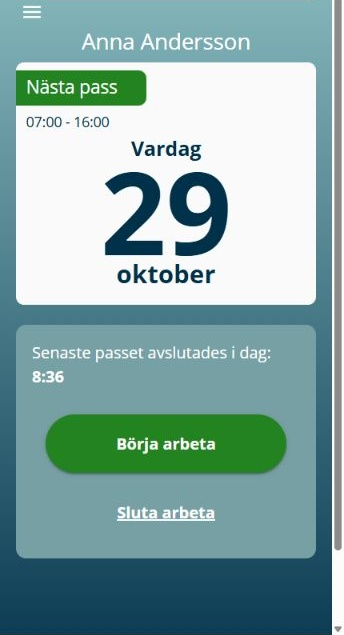
Image 1. In the app, the already logged-in employee clocks in on their own mobile device.
Webstamp is a web terminal that opens on a shared computer or tablet at the workplace. The employee usually identifies themselves using their employee number or a personal code. A compatible reader can also be used when the terminal profile and equipment have been prepared for fingerprint or RFID identification.
When online, Webstamp allows clocking in and out, selecting tasks and absence reasons when needed, and viewing balances. Webstamp also has a limited offline mode where only clock-in and clock-out entries are stored locally within the current browser profile. The saved day must be verified once the connection is restored, as an empty local queue alone is not proof that every record has been accepted by Timeplan.
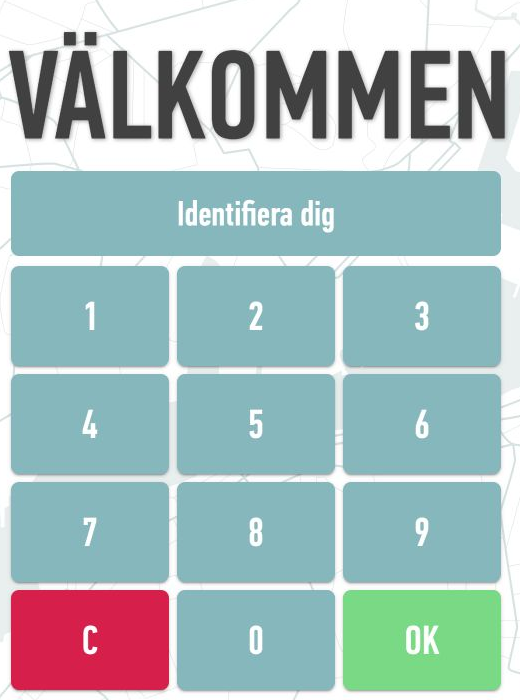
Image 2. Webstamp opens as a webpage on a shared computer or tablet.
Timeclock Light is a physical terminal mounted on the wall and connected via Wi-Fi. The employee enters their employee number or personal code on the terminal's touchscreen and then selects clock in or out along with any applicable absence code.
On Timeplan's current website, the equivalent terminal is presented as TimeClock Code. The term Timeclock Light is still used in Timeplan's support documentation.
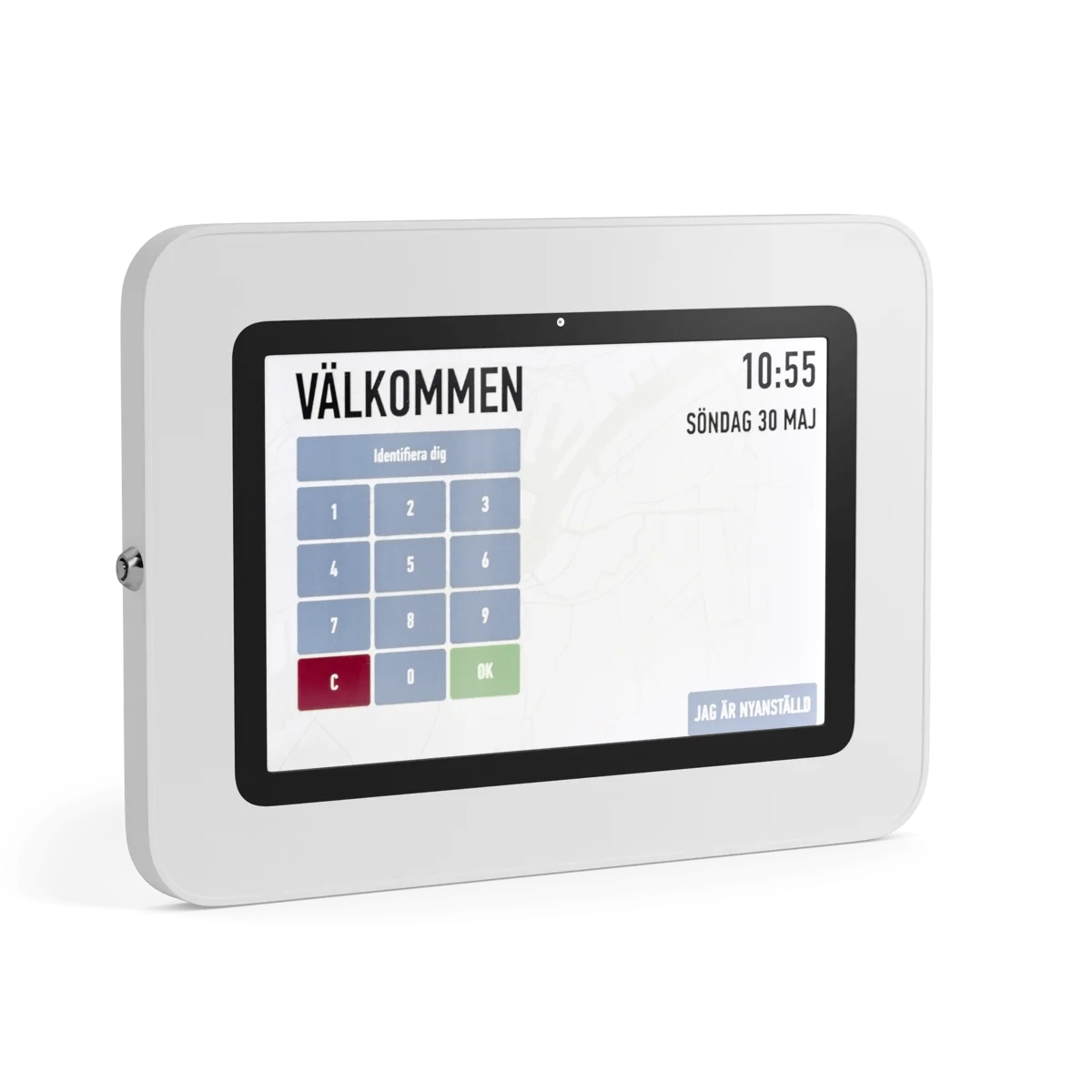
Image 3. Timeclock Light has a touchscreen and numeric field for code identification. Product image from Timeplan.
Timeclock FP is a physical, wall-mounted terminal connected via Wi-Fi equipped with a fingerprint reader. The employee's fingerprint must first be linked to their profile and enrolled. When clocking in or out, the employee places the registered finger on the reader and then selects clock in or out along with any applicable absence code.
Fingerprint reading identifies the employee but does not replace checks for direction, task, and absence codes. Follow your organisation's procedures for handling and informing about biometric data before using fingerprints.
Timeclock RFID is a physical, wall-mounted terminal connected via Wi-Fi. Each employee is linked to a personal RFID tag. During clocking, the tag is held against the reader, after which the employee selects clock in or out along with any applicable absence code.
Internal product information from Timeplan specifies the ACS ACR1252 as the RFID reader. This is a contactless 13.56 MHz reader supporting ISO/IEC 14443 types A and B, MIFARE variants, FeliCa, and NFC tags according to ISO/IEC 18092. This does not mean that every tag technically readable by the reader is automatically approved for Timeplan. Use a tag supplied or confirmed by Timeplan for the relevant terminal. A 125 kHz tag is not within the standards intended for ACR1252.
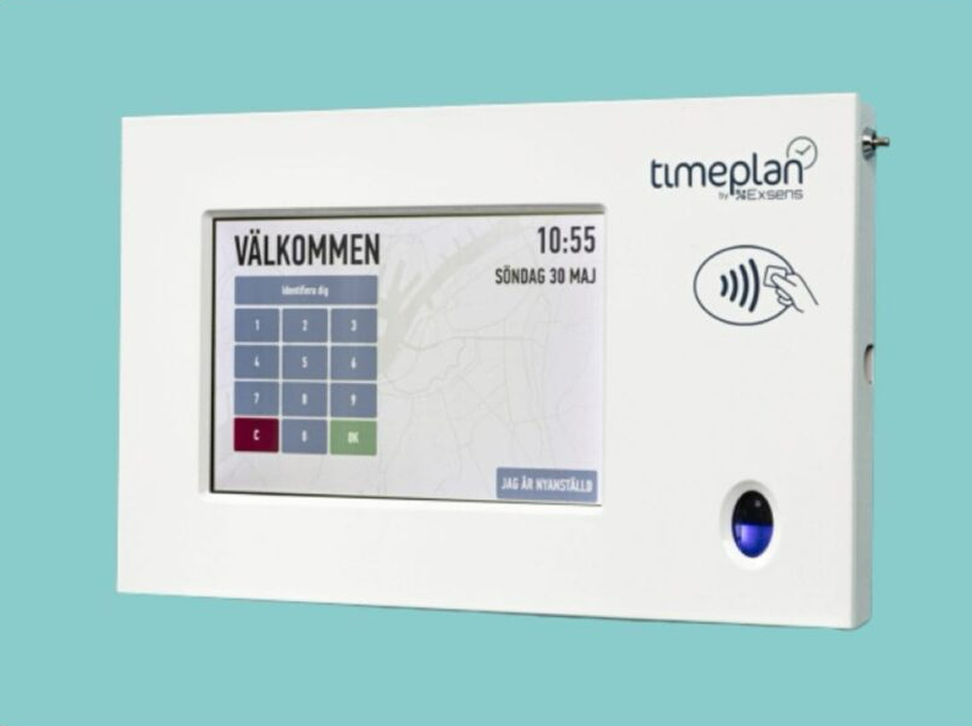
Image 4. The physical terminal for RFID or fingerprint has the readers placed to the right of the touchscreen. Product image from Timeplan.
- The app: Used on the employee's personal mobile. The employee is already logged in and connects via mobile network or Wi-Fi. Suitable when the employee works at various locations.
- Webstamp: Used on a shared computer or tablet. The employee normally identifies themselves using employee number or personal code. Suitable when the workplace wishes to use existing equipment and a web browser.
- Timeclock Light: A physical, wall-mounted Wi-Fi terminal. The employee identifies by employee number or personal code. Suitable when a fixed terminal with simple code identification suffices.
- Timeclock FP: A physical, wall-mounted Wi-Fi terminal. The employee identifies by a registered fingerprint. Suitable when a code or separate tag should not be used.
- Timeclock RFID: A physical, wall-mounted Wi-Fi terminal. The employee identifies by a personal RFID tag. Suitable when fast contactless identification is preferred.
The three physical terminals provide a fixed clocking location at the workplace. The app and Webstamp instead use a mobile device, computer, or tablet already available. When choosing a solution, you should weigh location, network, how employees are identified, and how codes, fingerprints, or tags are managed.
On the Terminal Profiles page, the administrator sets whether the employee identifies by employee number, card number or code, fingerprint, or RFID. The profile name is not a reliable indicator of which options are selected, so check settings if identification does not work as expected.
On Supplementary Details, the employee is linked to a terminal profile, the terminals they may use, and the required identification methods. A working code, an enrolled finger, or a registered RFID tag is not sufficient if the relevant terminal is missing under Valid Clocking Terminals.
Timeclock Light, Timeclock FP, and Timeclock RFID use Wi-Fi. Therefore, verify signal strength at the proposed terminal location. Webstamp uses the computer or tablet’s network connection, while the app uses mobile network or Wi-Fi.
The app is suitable when employees move between workplaces and have their own mobile device. Wi-Fi locking or geographic controls can be used to approve clocking only at a certain place. However, if the mobile device lacks contact with Timeplan, local saving of clocking for later sending is not possible.
A physical Timeclock terminal provides a common and clear clocking point. Light is suitable when codes suffice. FP removes the need for codes or tags but requires managing fingerprints. RFID offers fast identification but each tag must be registered to the correct employee and be compatible with the reader.
Webstamp is suitable when the workplace wants to use an existing computer or tablet. The device opens the terminal’s web address in a browser, and employees identify themselves for each clocking. It is shared in the same way as a physical terminal but is not a separate Timeclock device.
- Clock in and out in the app describes the app's clocking flow and connection conditions.
- Clock in Webstamp, including offline describes Webstamp’s options, confirmations, and limited offline mode.
- Clock in terminal with code or fingerprint explains how terminal profile, terminal access, and identification methods are prepared.
- Terminals explains the terminal’s application and connection requirements.
- Terminal Profiles explains the identification methods used during clocking.
- Missing or invisible clocking in Timeplan helps administrators troubleshoot based on the method used.
No. Webstamp is a shared web terminal where each employee identifies themselves at clocking. The app uses the employee already logged in on their own mobile.
Timeplan’s support material uses the name Timeclock Light, while the current product website uses TimeClock Code. Both describe the physical terminal variant where the employee identifies with an employee number or personal code.
Use the RFID tag supplied or confirmed by Timeplan for your terminal. The ACS ACR1252 reader operates at 13.56 MHz and supports, among others, ISO/IEC 14443 and MIFARE, but the reader’s technical capabilities exceed guarantees that every tag functions in Timeplan’s clocking flow.
They are based on the same type of physical, wall-mounted terminal but use different identification methods. FP identifies using a enrolled fingerprint. RFID identifies using a tag linked to the employee.